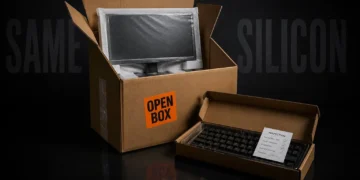
Open-Box Electronics: The Smartest Way to Buy Tech in Canada Right Now
Canadian tech buyers are in a squeeze. Prices on monitors, peripherals, and smart home gear keep climbing, the dollar isn't...
Read moreDetails

JSONPath was never really specified. Stefan Goessner sketched it out in a 2007 blog post as an XPath-for-JSON idea, people liked it, libraries got written in every language and each library author filled in the blanks of that blog post their own way. For the next decade and a half, the same JSONPath expression could return different results depending on which implementation ran it. Not edge-case different. Routinely different, on things as basic as how filters compare values or what a slice does with negative numbers. There’s a well-known comparison project that ran dozens of implementations against the same queries just to document how much they disagree and the results table looks like a ransom note.
An actual standard finally arrived in February 2024, RFC 9535, which pinned down the semantics properly. But the installed base of pre-standard libraries is enormous, your project’s JSONPath dependency is quite possibly one of them and this whole history is the honest answer to why JSONPath testers exist. It was never mainly about saving typing. It’s that the only way to know what your expression does is to run it, ideally against the same engine your code will use.
Supported: child .name and ['name'], recursive ..name, wildcard *, index [0] and [-1], union [0,2], slice [1:4:2], and filters [?(...)] using == != < <= > >= =~ && || ! with @ for the current item and $ for the root. Everything runs in your browser and nothing is uploaded.
Take this response from some hypothetical bookstore API:
{
  "store": {
    "books": [
      { "title": "Sapiens", "price": 18.99, "category": "history" },
      { "title": "Dune", "price": 9.99, "category": "fiction" },
      { "title": "SPQR", "price": 22.00, "category": "history" }
    ]
  }
}
$ is the root. $.store.books[0].title walks down to “Sapiens”. $.store.books[*].price gives you all three prices, the star matching every array element. $..title uses the recursive descent operator, two dots, to find every title anywhere in the document regardless of nesting, which is the operator you reach for when the structure is deep or unfamiliar. And filters do conditional selection: $.store.books[?(@.price < 20)].title returns the titles under twenty dollars, with @ standing for the element currently being tested.
That filter is also where the pre-standard chaos lived. Whether ?(@.price < "20") compares numerically or lexically, whether a missing price field errors or silently drops the element, whether you can chain functions inside the filter, all of that varied by library for years. Paste that same filter into three online evaluators and you may still get two answers today, depending on which engine each one embeds. Which is unsettling the first time you see it and clarifying forever after.
The workflow is unglamorous and it works. You paste in a real response or a trimmed version of one, write the expression and watch the result update as you type. Syntax errors surface immediately instead of three layers deep in a test run. Wrong assumptions about the structure, the field you were sure was an array turns out to be an object keyed by ID, surface just as fast and that second kind of mistake is the common one. In my experience most “broken” JSONPath expressions were written correctly against a structure that existed only in the author’s memory.
Two habits make the tool worth far more. First, build complex filters in pieces, get $.store.books[*] returning what you expect before you add the condition, because debugging a compound expression that returns empty tells you nothing about which part failed. Second and this is the one the divergence history demands: check which implementation your tester runs and whether it matches the library in your codebase. A query polished in a Jayway-based web tool and shipped into a project using a different engine is a query tested against the wrong dialect. Some testers let you switch implementations and if yours does, that dropdown is quietly it’s most valuable feature.
API test assertions are the volume use. A test hits an endpoint and instead of comparing the whole response, it extracts the two fields that matter, $.data.orders[0].status and asserts on those, which keeps the test alive through harmless response changes. REST Assured bakes JsonPath support in, Postman does it’s own flavor of the same idea and when those suites need to run somewhere, platforms like LambdaTest execute automated API and cross-device suites across a few thousand environments, with Firebase and BrowserStack playing in adjacent space. The tester’s role sits upstream of all of it: the place you get the expression right before it gets welded into a script that fifty test runs a day will depend on.
The other genuinely useful QA move is diagnosis. When a frontend renders something wrong and everyone’s pointing at everyone, pulling the raw response and running the exact JSONPath the code uses settles the argument in about a minute. Either the data was wrong or the extraction was and now you know which team’s bug it is.
One small thing worth saving as you go: keep the queries you refine. A shared file of validated expressions for your main APIs sounds like bureaucracy and is actually the difference between the next person spending four minutes or forty on the same extraction. Nobody regrets this file. People only regret not starting it a year earlier.
If your JSONPath work is occasional, any decent web evaluator does the job and the habit of testing before shipping matters more than the tool. If it’s daily, pick a tester that names it’s engine, prefer one that speaks RFC 9535 and mind the gap between the standard and whatever your production library actually implements, because that gap is where the weird bugs have been hiding since 2007.

Canadian tech buyers are in a squeeze. Prices on monitors, peripherals, and smart home gear keep climbing, the dollar isn't...
Read moreDetails
Copyright © 2024 NoodleMagazine - All Right Reserved